Block 1 — Foundation (2 days)
Goal: Walkable blockout hideout and city map with interactable station volumes, the core data model compiled and instantiable, and all subsystem stubs in place. No gameplay — just the shell everything plugs into.
Depends on: Nothing — this is the foundation.
Build order: bottom-up. Data model (vocabulary) → input assets → level geometry → BP actor classes → Player Controller glue → final instance placement. Each section only references things defined above it.
Deliverables
Core Data Model (C++)
All enums, structs, and subsystem stubs compiled and instantiable. Every downstream section references this vocabulary, so it lands first.
Enums:
| Enum | Values |
|---|---|
ERaccoonType | Scout, Hauler, Distractor (post-MVP: Sorter, Scrapper, Fence, Lookout, Climber) |
ERaccoonStatus | Idle, Raiding, Assigned, Injured, Hungry, Deserted, Training |
EStatType | Speed, Stealth, Strength, Cunning, Luck |
EStationType | RaidBoard, TrainingCorner, LootSortingStation, OnlineSales, Pantry, GearBench, UpgradeDesk |
EResourceType | Trash, Currency, Scrap |
EEncounterConsequence | None, Injury, Capture, Abort, LootLoss, BonusLoot, TimeReduction |
Structs:
| Struct | Key Fields | Notes |
|---|---|---|
FStatBlock | Speed, Stealth, Strength, Cunning, Luck (int32, 1–100) | GetStat(EStatType), ModifyStat(EStatType, Delta), operator+ for crew summing. All BlueprintCallable. |
FRaccoonData | Id (FGuid), Name, Type, BaseStats, TrainingBonus (FStatBlock, default 0s), EquippedGearRowName (FName), AssignedStation, bHasAssignment, Status, InjuryRaidsRemaining, ConsecutiveHungryTicks | Runtime raccoon instance. BaseStats immutable after creation. TrainingBonus accumulates from training sessions. See Raccoon Stats. |
FResourceLedger | Trash, Currency, Scrap (int32) | Global counters owned by UResourceSubsystem. |
FValuableItem | ItemId, Tier (1–3), BaseSellPrice, HiddenCeiling (post-MVP) | Individual valuable in loot payload. |
FLootPayload | Trash, Currency, Scrap amounts + TArray<int32> FoodItems + TArray<FValuableItem> Valuables + bRecruitAvailable + RecruitType | Transient. Generated at raid dispatch, consumed at loot sorting. |
FActiveRaid | RaidId, Target (soft ref), CrewRaccoonIds, TotalDuration, ElapsedTime, EncounterTriggerTimes, NextEncounterIndex, PendingLoot, SpawnedPawns (weak ptrs) | Active raid state. Tracks AI pawns on city map. |
FStationRuntimeState | AssignedRaccoonId, CurrentStorage, CapTier | Mutable per-station state. |
FCostData | Trash, Currency, Scrap (int32) | Multi-resource cost for upgrades/crafting. |
FMilestoneProgress | CurrentCount (int32), bCompleted (bool) | Per-milestone runtime state. Referenced by UProgressionSubsystem’s TMap. Stub here, populated Block 9. |
FEncounterResult | bPassed, Consequence (EEncounterConsequence), AffectedRaccoonId, EncounterName | Outcome of encounter resolution. Stub here, used by URaidSubsystem in Block 4. |
DataAsset classes (C++ headers, no content authored yet):
| DataAsset Class | Key Properties |
|---|---|
URaccoonTypeDataAsset | Type enum, starting stat ranges (min/max per stat), primary/secondary stat tags, unlock condition |
UStationDataAsset | Station type enum, relevant stat types, base storage cap, TArray<FCostData> upgrade cost tiers, TSubclassOf<UTNTStationUIBase> UIWidgetClass |
URaidTargetDataAsset | Name, loot bias weights (per resource type), difficulty, TArray<TSoftObjectPtr<UEncounterDataAsset>> encounter pool, unlock condition |
UEncounterDataAsset | Type enum, stat check type, threshold, pass consequence, fail consequence |
UBuildingDataAsset | Display name, linked URaidTargetDataAsset, visual type enum, hover tooltip data |
Subsystem stubs (C++ — UGameInstanceSubsystem subclasses, empty implementations except where noted):
UCityMapSubsystem::SetOverheadCamerais the one method that ships functional in Block 1 — it drives the Raid Board → city camera swap that satisfies the Done When list. Spec’d in City Map Camera Swap below.
| Subsystem | Internal State | Type | Purpose |
|---|---|---|---|
URaccoonSubsystem | Raccoons | TArray<FRaccoonData> | Live roster of all raccoon instances |
NamePool | TArray<FString> | Curated name list for GenerateName. Avoids duplicates against current roster | |
UResourceSubsystem | Ledger | FResourceLedger | Global resource counters (Trash, Currency, Scrap) |
UStationSubsystem | StationStates | TMap<EStationType, FStationRuntimeState> | Per-station mutable runtime state |
PendingPayloads | TMap<EStationType, TArray<FLootPayload>> | Loot queued for station processing (populated Block 5) | |
URaidSubsystem | ActiveRaids | TArray<FActiveRaid> | All in-progress raids |
UProgressionSubsystem | MilestoneProgress | TMap<FName, FMilestoneProgress> | Per-milestone runtime state |
UUpkeepSubsystem | (no owned collections) | — | Reads/writes FRaccoonData::ConsecutiveHungryTicks via URaccoonSubsystem. Timer callback driven by Game Clock |
UCityMapSubsystem | BuildingUnlockStates | TMap<FName, bool> | Tracks which buildings are unlocked |
CityCamera | ACameraActor* | Cached BP_CityCamera instance in L_City. Lazy-resolved on first SetOverheadCamera(true) | |
CachedPlayerPawn | APawn* | Snapshot of PC->GetPawn() at swap time. Restored on SetOverheadCamera(false) | |
UGameClockSubsystem | GameClockTime | float | Current time in game-minutes (0–1440). See Game Clock |
Input Assets
Enhanced Input assets created up front so the Player Controller and pawn can reference them later.
Enhanced Input plugin
Verify enabled: Edit → Plugins → search “Enhanced Input” → Enabled. Set as default input class:
- Project Settings → Input → Default Classes
- Default Player Input Class:
EnhancedPlayerInput - Default Input Component Class:
EnhancedInputComponent
- Default Player Input Class:
Restart editor after change.
Asset layout
Create folder Content/TrashNTreasure/Input/. Right-click in Content Browser → Input →:
- Input Action ×7 →
IA_Move,IA_Look,IA_Interact,IA_Pan,IA_Zoom,IA_Click,IA_Escape - Input Mapping Context ×2 →
IMC_Hideout,IMC_CityMap
Set Value Type per IA on creation:
| Asset | Value Type |
|---|---|
IA_Move, IA_Look, IA_Pan | Axis2D (Vector2D) |
IA_Zoom | Axis1D (float) |
IA_Interact, IA_Click, IA_Escape | Digital (bool) |
IMC bindings
Open each IMC → Mappings → + → pick the IA → assign key + modifiers.
WASD pattern (used by IA_Move and IA_Pan):
A keypress is injected on the X axis of the resulting Vector2D by default. D already lands on +X, A needs Negate. W/S need to land on Y instead — Swizzle Input Axis Values: YXZ rotates X→Y, then S gets Negate. Add 4 separate key entries on the IA, one per key:
| Key | Swizzle Input Axis Values | Negate | Result |
|---|---|---|---|
D | — (none) | no | (+1, 0) |
A | — (none) | yes | (−1, 0) |
W | YXZ | no | (0, +1) |
S | YXZ | yes | (0, −1) |
IMC_Hideout:
| Input Action | Key(s) | Modifiers |
|---|---|---|
IA_Move | W / A / S / D | See WASD pattern table above |
IA_Look | Mouse XY | None — mouse XY already a Vector2D |
IA_Interact | E | None |
IMC_CityMap:
| Input Action | Key(s) | Modifiers |
|---|---|---|
IA_Pan | W / A / S / D | Same WASD pattern as IA_Move |
IA_Pan | Mouse XY | None on the IMC. Middle-mouse-drag gating + invert handled in PC graph |
IA_Zoom | Mouse Wheel Axis | None |
IA_Click | Left Mouse Button | None |
IA_Escape | Escape | None |
Home Base Blockout (L_Hideout)
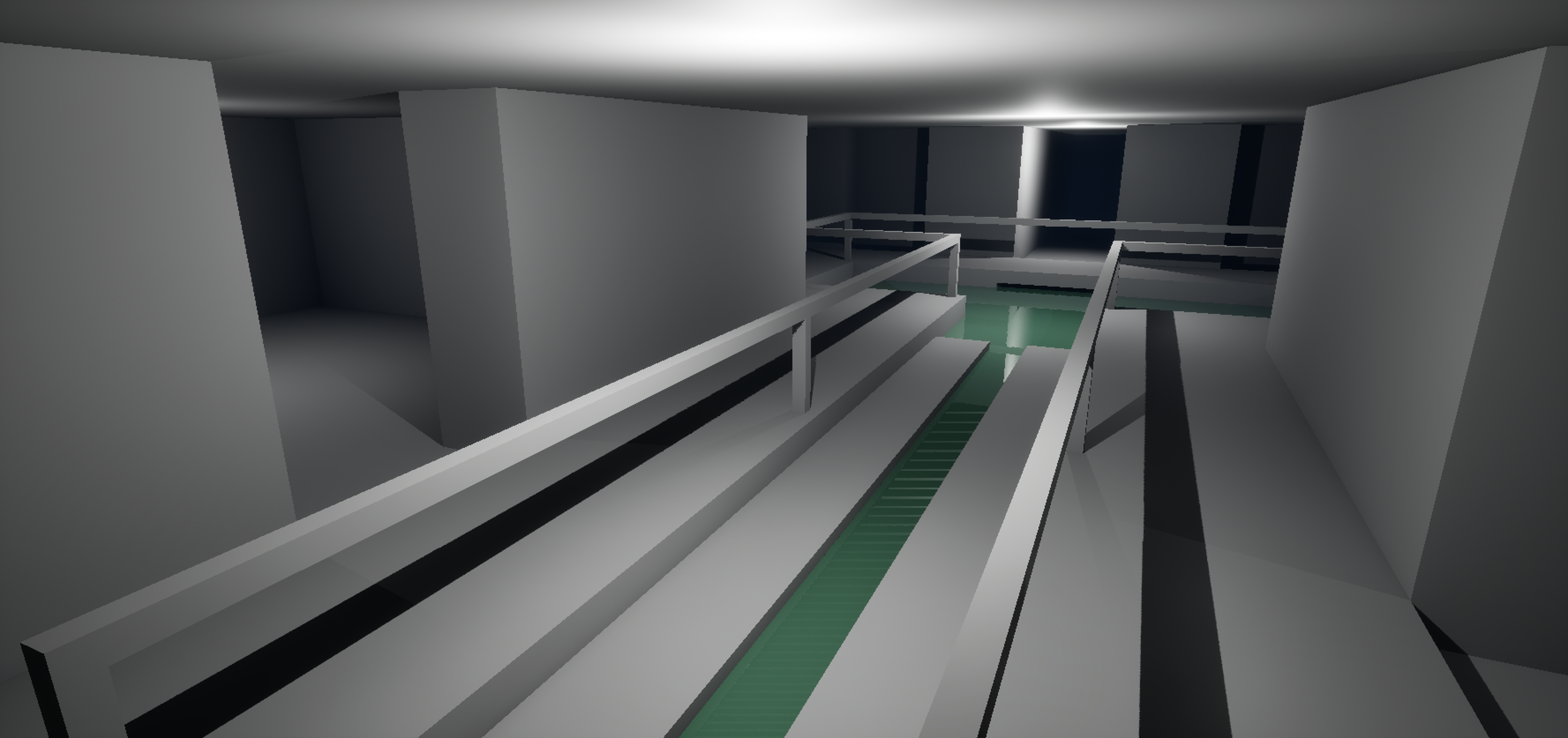
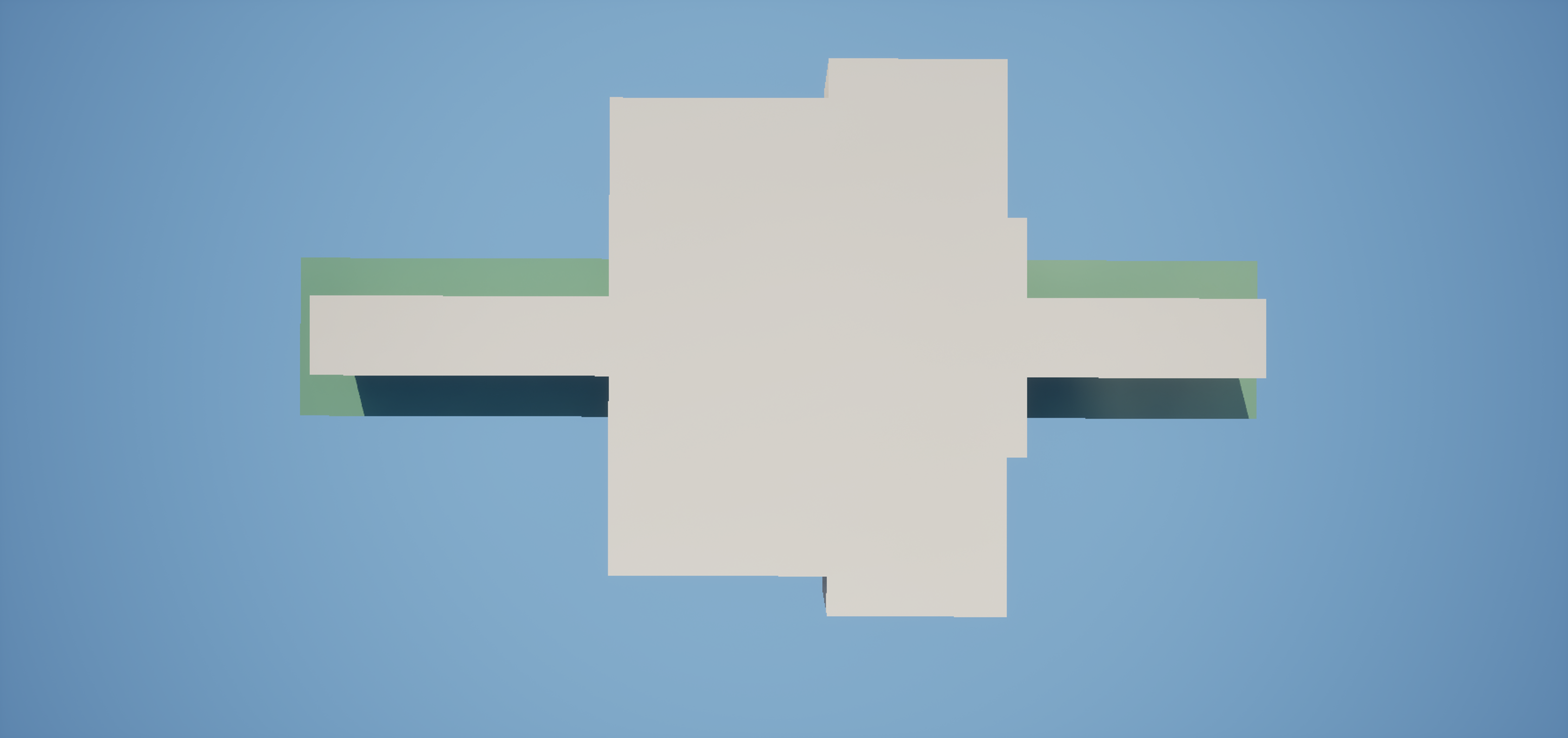
UE5 Modeling Tools geometry defining the tunnel layout: main corridor, alcoves for stations, dead ends for boundaries. Sized for 7 station spots plus walking paths. Use Cube Grid tool → PolyEdit to extrude alcoves. Flat unlit materials with distinct colors per zone. Scale for real human height so that jerry rigged props scale appropriately. Average tunnels ~200 cm tall, 100 cm wide.
Reference board: Home Base Reference Images
CURRENT PASS
City Map Sublevel (L_City)
Sublevel setup
- Window → Levels panel in
L_Hideout(persistent level) - Levels → Add Existing Level → select
L_City.umap(or create new if first time) - Right-click
L_Cityin Levels panel → Change Streaming Method → Always Loaded
Always Loaded because raccoon AI pawns navigate L_City during active raids and NavMesh must persist regardless of whether player is viewing the city map. At blockout scale memory cost is negligible — revisit if L_City grows to production art with significant asset weight.
Ground plane & road grid (spline + PCG)
- Flat ground plane sized for small city block grid (~5000×5000 cm). No terrain, no landscape — flat geometry only at blockout
- Ground plane carries
UNavModifierComponentwithAreaClass = NavArea_Null— makes raw ground unwalkable by default - Road layout authored as splines:
BP_RoadSpline(Blueprint, parentAActor, containsUSplineComponent) per road segment. Drop control points in editor to shape the road grid between building plots - PCG graph asset
PCG_RoadNetworkattached to each spline:- Samples spline at fixed interval (~50 cm)
- Spawns road mesh segments (flat boxes, road-colored material) along samples
- Spawns a child
ANavModifierVolumeper segment withAreaClass = NavArea_Default— paints walkable strip over the null ground - Road width ~120 cm (2× agent radius + margin)
- Buildings sit on plots adjacent to splines. Raccoons can only path along road strips → forced to use roads between hideout exit and buildings
- Edit splines → PCG regenerates road geometry + nav modifiers automatically. No manual mesh placement
NavMesh
- Place
ANavMeshBoundsVolumecovering entire ground plane + small margin (100–200 cm) - Project Settings → Navigation Mesh → Agent Radius: 30 cm, Agent Height: 60 cm (raccoon scale)
- Runtime Generation =
Dynamic Modifiers Only— NavMesh respects NavModifier volumes spawned by PCG without full rebuild - Area cost: leave
NavArea_Defaultcheap,NavArea_Nullunwalkable. Raccoon pathfinding ignores non-road ground entirely - After spline edit + PCG regen: Build → Build Paths (or wait for dynamic rebuild). Press
Pto visualize — green should only cover road strips, not building plots or empty ground - NavMesh persists at runtime because
L_Cityis Always Loaded — no rebuild needed on sublevel stream-in
Verify: drop test
BP_RaccoonAIPawnoff-road →MoveTotarget across map should route along roads, not straight line across plots. If pawn cuts corners, road NavModifier strips too narrow or overlapping with null area — widen road width or check modifier priority.
First-Person Movement
BP_PlayerPawn (Blueprint, parent ACharacter) with UCharacterMovementComponent in walking-only mode. Disable jumping and crouching. UCapsuleComponent at 30 cm half-height, UCameraComponent at raccoon eye height. CMC handles gravity and floor pinning — avoids floating on uneven geometry. No paw hands or character model yet — camera only.
Expose two functions called by the Player Controller’s input routing: HandleMove(FVector2D) applies movement input via CMC; HandleLook(FVector2D) rotates control rotation (yaw) + camera pitch. Keeping movement math on the pawn lets the PC stay input-routing only.
Station Volumes
BP_StationBase (Blueprint, parent AActor). Same class — per-instance behavior comes from the assigned UStationDataAsset. Blueprint-only: logic is component setup + a Switch on enum + subsystem passthroughs, nothing that warrants a C++ base.
Components (BP):
| Component | Type | Notes |
|---|---|---|
InteractionVolume | UBoxComponent | Overlap generation on, Collision Preset OverlapOnlyPawn. Drives the PC’s CurrentOverlappedStation handoff (see Player Controller below) |
PlaceholderMesh | UStaticMeshComponent | Colored cube per station. Material Instance of M_BlockoutBase with station-specific tint |
LabelWidget | UWidgetComponent | Floating text (“Raid Board”, “Pantry”, etc.) — screen-space, billboarded |
Variables (BP):
| Variable | Type | Notes |
|---|---|---|
StationData | UStationDataAsset* | Assigned per-instance in editor. Drives type + UI |
StationType | EStationType | Cached from StationData->StationType on BeginPlay (convenience — avoids DA deref every interact) |
Functions (BP):
OnPlayerInteract()— Switch onStationType:RaidBoard→UCityMapSubsystem::SetOverheadCamera(true)(handlesSetViewTargetWithBlendtoBP_CityCamera+ PC input swap toIMC_CityMap)- all others →
CreateWidget(StationData->UIWidgetClass)→AddToViewport→SetInputModeGameAndUI+SetShowMouseCursor(true) - For MVP blockout the non-RaidBoard branch just
Print Stringwith the station name — real widgets land Block 3+
GetEffectiveStat(EStatType) : int32— passthrough toUStationSubsystem::GetEffectiveStatFor(StationType, StatType). Pure function
No subclasses. UStationDataAsset specifies station type, relevant stats, base storage cap, upgrade cost curve, and TSubclassOf<UUserWidget> UIWidgetClass to spawn on interact. Raid Board leaves UIWidgetClass null — uses city map flow instead.
Promote to
ATNTStationBaseC++ base only if station logic stops fitting a single Switch (e.g. per-type tick behavior, multi-step interaction state machine) or if another actor family needs to share anIInteractableinterface.
City Map Actors (stubs)
All Blueprint-only — no C++ base needed. Logic is trivial component setup + DA references.
| Asset | Type | Parent | Purpose |
|---|---|---|---|
BP_Building | Blueprint | AActor | UStaticMeshComponent (box) + UBoxComponent (hover detect). References UBuildingDataAsset. Highlight material on hover. Click to select target. |
BP_RaccoonAIPawn | Blueprint | APawn | Stub only — spawning/AI wired in Block 4. Promote to ATNTRaccoonAIPawn C++ base later if perception/BT integration outgrows BP nodes. |
BP_CityCamera | Blueprint | ACameraActor | Top-down overhead. Not possessed — PlayerController uses SetViewTargetWithBlend to switch view to this actor. Controller moves camera transform directly via IMC_CityMap input (pan = translate XY, zoom = adjust arm length or Z height). ACameraActor already provides UCameraComponent — no reinvent. |
BP_HideoutExit | Blueprint | AActor | Spawn point marker for raccoon AI pawns at map edge. |
Player Controller
BP_PlayerController (Blueprint, parent APlayerController). Glue layer: applies Input Assets above, routes IA events to the pawn, and wires station overlap → interaction.
Adding IMCs to the local player
Enhanced Input contexts apply via UEnhancedInputLocalPlayerSubsystem. Do this in BP_PlayerController event graph:
Event BeginPlay
  → Get Local Player (from controller)
  → Get Enhanced Input Local Player Subsystem
  → Add Mapping Context
       MappingContext = IMC_Hideout
       Priority = 0
Cache the subsystem reference on a variable (EnhancedInputSub) — context swap functions reuse it.
Create two helper functions on BP_PlayerController:
Function: SwitchToHideoutInput
  EnhancedInputSub → Remove Mapping Context (IMC_CityMap)
  EnhancedInputSub → Add Mapping Context (IMC_Hideout, Priority 0)
  Set Input Mode Game Only
  Set Show Mouse Cursor = false

Function: SwitchToCityMapInput
  EnhancedInputSub → Remove Mapping Context (IMC_Hideout)
  EnhancedInputSub → Add Mapping Context (IMC_CityMap, Priority 0)
  Set Input Mode Game and UI   // Game and UI (not Game Only) so cursor-over events route to BP_Building (Block 03 hover)
  Set Show Mouse Cursor = true   // city map needs cursor for click + drag
These helpers are invoked by the PC’s own OnOverheadCameraChanged delegate handler (bound to UCityMapSubsystem in BeginPlay — see City Map Camera Swap). Subsystem owns camera + pawn snapshot; PC owns IMC swap.
Binding IA events
Bind on BP_PlayerController event graph (PC owns the input component because EnhancedPlayerInput lives on the controller). Pawn-affecting actions forward to the possessed pawn’s HandleMove / HandleLook:
EnhancedInputAction IA_Move (Triggered)
  → Get Controlled Pawn → Cast to BP_PlayerPawn
  → Call HandleMove(ActionValue.Get<FVector2D>())

EnhancedInputAction IA_Look (Triggered)
  → Get Controlled Pawn → Cast to BP_PlayerPawn
  → Call HandleLook(ActionValue.Get<FVector2D>())

EnhancedInputAction IA_Interact (Started)
  → If CurrentOverlappedStation valid → CurrentOverlappedStation->OnPlayerInteract()
City-map actions stay on the controller (no pawn involved when viewing city camera):
EnhancedInputAction IA_Pan (Triggered)    → adjust BP_CityCamera transform
EnhancedInputAction IA_Zoom (Triggered)   → adjust BP_CityCamera arm length / Z
EnhancedInputAction IA_Click (Started)    → line trace from cursor → BP_Building hit → select
EnhancedInputAction IA_Escape (Started)   → UCityMapSubsystem::SetOverheadCamera(false)
Interaction system
Overlap-based, not line trace. BP_StationBase’s InteractionVolume is already configured (OverlapOnlyPawn) from its spec above.
BP_PlayerController holds CurrentOverlappedStation : BP_StationBase (Object Reference, nullable). Wire the station’s overlap delegates to push/pop this reference:
On BP_StationBase:
  Event OnComponentBeginOverlap (InteractionVolume)
    → Cast Other Actor to BP_PlayerPawn → valid?
    → Get Player Controller → Cast to BP_PlayerController
    → Call PC->SetOverlappedStation(Self)

  Event OnComponentEndOverlap (InteractionVolume)
    → same cast chain
    → Call PC->ClearOverlappedStation(Self)   // only clears if Self == current
PC’s SetOverlappedStation shows the HUD interact prompt; ClearOverlappedStation hides it. Only one station tracked at a time — last BeginOverlap wins, EndOverlap only clears if leaving the cached station (prevents flicker when overlap volumes touch).
City Map Camera Swap (UCityMapSubsystem::SetOverheadCamera)
Implement in Block 1, not deferred. This is the one C++ method that has to be working for the Raid Board → city camera swap (a Block 1 Done When item). Every other subsystem method stays stubbed; Block 3+ extends UCityMapSubsystem with building lookup, hover/select, and active-raid display — see Block 03.
Why on the subsystem (not on PC or station): the same swap is invoked from two unrelated callers — BP_StationBase::OnPlayerInteract (Raid Board branch) and BP_PlayerController IA_Escape binding. Putting the swap on the subsystem gives both callers one entry point, keeps CachedPlayerPawn in one place, and survives PC respawn (the GameInstance subsystem outlives the PC).
UCityMapSubsystem.h (Block 1 surface):
DECLARE_DYNAMIC_MULTICAST_DELEGATE_OneParam(FOnOverheadCameraChanged, bool, bEnabled);

UCLASS()
class UCityMapSubsystem : public UGameInstanceSubsystem {
    GENERATED_BODY()
public:
    UFUNCTION(BlueprintCallable, Category="City Map")
    void SetOverheadCamera(bool bEnable);

    UPROPERTY(BlueprintAssignable, Category="City Map")
    FOnOverheadCameraChanged OnOverheadCameraChanged;

private:
    UPROPERTY() TObjectPtr<ACameraActor> CityCamera = nullptr;       // lazy-resolved
    UPROPERTY() TObjectPtr<APawn>        CachedPlayerPawn = nullptr; // snapshot at swap-in
    // BuildingUnlockStates declared in stub table above
};
SetOverheadCamera implementation:
APlayerController* PC = GetWorld()->GetFirstPlayerController()
if (!PC) return

if (bEnable):
    if (!CityCamera):
        // L_City has exactly one BP_CityCamera — first-match is fine for blockout
        TArray<AActor*> Found
        UGameplayStatics::GetAllActorsOfClass(this, ACameraActor::StaticClass(), Found)
        if (Found.Num() == 0) return                 // L_City not loaded yet — bail
        CityCamera = Cast<ACameraActor>(Found[0])
    CachedPlayerPawn = PC->GetPawn()
    PC->SetViewTargetWithBlend(CityCamera, 0.5f)
else:
    PC->SetViewTargetWithBlend(CachedPlayerPawn, 0.5f)

OnOverheadCameraChanged.Broadcast(bEnable)            // PC handles input swap
The subsystem owns the camera target + cached pawn. It does NOT touch input contexts directly — that’s the PC’s job, kept in BP because IMC assets are easier to reference there. The subsystem fires the delegate; the PC listens and calls its own SwitchToCityMapInput / SwitchToHideoutInput helpers (defined in Player Controller above).
BP_PlayerController BeginPlay — bind the delegate:
Get Game Instance → Get Subsystem (UCityMapSubsystem)
  → cache as CityMapSub
  → Bind Event to OnOverheadCameraChanged → custom event RouteOverheadInput

Custom Event RouteOverheadInput (bool bEnabled)
  Branch on bEnabled
    True  → SwitchToCityMapInput
    False → SwitchToHideoutInput
Why lazy-resolve CityCamera: subsystem Initialize() runs at GameInstance startup, before any level actor exists. By the first Raid Board interact, L_City is already Always Loaded so the lookup succeeds.
Why cache the pawn: SetViewTargetWithBlend(CachedPlayerPawn, …) on disable returns to the exact pawn the player left. Without the snapshot, restoring would have to assume PC->GetPawn() is still the player’s pawn — fragile if anything else briefly possesses something during the city view.
Called from:
BP_StationBase::OnPlayerInteract— RaidBoard branch →SetOverheadCamera(true)BP_PlayerControllerIA_Escape (Started)→SetOverheadCamera(false)
Game Mode
BP_GameMode (Blueprint, parent AGameModeBase). Sets DefaultPawnClass = BP_PlayerPawn, PlayerControllerClass = BP_PlayerController. Assign BP_GameMode as the GameMode Override on L_Hideout. No gameplay init yet (that’s Block 2+).
Actor Placement
Final step — drop instances of the BP classes above into the already-built levels.
Hideout (L_Hideout)
7 instances of BP_StationBase in the tunnel alcoves — one per EStationType value (RaidBoard, TrainingCorner, LootSortingStation, OnlineSales, Pantry, GearBench, UpgradeDesk). Each instance’s StationData variable set to a distinct UStationDataAsset. Station DA content is authored Block 3; for blockout either stub a minimal DA per type or leave StationData null and have OnPlayerInteract fall back to Print String with the placed instance label.
Also place BP_PlayerPawn spawn (PlayerStart at tunnel entrance).
City Map (L_City)
| Actor | Class | Placement |
|---|---|---|
| Average Home | BP_Building | Plot adjacent to road. Assign DA_Building_AverageHome (stub OK for Block 1) |
| The Dump | BP_Building | Second plot. Assign DA_Building_TheDump (stub OK for Block 1) |
| Hideout Exit | BP_HideoutExit | Map edge where road meets boundary — raccoon AI spawn/despawn point |
| City Camera | BP_CityCamera | Centered overhead, height ~3000–4000 cm |
ANavMeshBoundsVolume already placed per the NavMesh subsection.
Content Browser Layout (initial)
Content/TrashNTreasure/
  Data/
    RaccoonTypes/     (empty — populated Block 2)
    Stations/         (empty — populated Block 3+)
    RaidTargets/      (empty — populated Block 3)
    Encounters/       (empty — populated Block 3)
    Buildings/        (empty — populated Block 3)
    Tables/           (empty — populated Block 8–9)
  Blueprints/
    Stations/         BP_StationBase (parent: AActor)
    Player/           BP_PlayerPawn, BP_PlayerController, BP_GameMode
    CityMap/          BP_Building, BP_RaccoonAIPawn, BP_CityCamera, BP_HideoutExit, BP_RoadSpline
  PCG/                PCG_RoadNetwork
  Input/              IMC_Hideout, IMC_CityMap, IA_Move, IA_Look, IA_Interact,
                      IA_Pan, IA_Zoom, IA_Click, IA_Escape
  UI/                 (empty — populated Block 2+)
  Maps/
    L_Hideout.umap
    L_City.umap
  Materials/          M_BlockoutBase (parameterized color instance)
Done When
- Player walks around blockout hideout in first person at raccoon height
- 7 labeled station volumes placed and interactable (print to screen on interact)
- Raid Board interact switches to city sublevel overhead camera with pan/zoom
- City sublevel has 2 box buildings with hover highlight, NavMesh on roads, hideout exit marker
- Escape from city view returns to hideout camera
- All enums, structs compile — can instantiate an
FRaccoonData, read its stats, check a resource counter in a C++ test - All 7 subsystem stubs instantiate via
GetGameInstance()->GetSubsystem<T>() - All DataAsset C++ headers compile (no content assets yet)